Web Widget
Web Widget
Section titled “Web Widget”The Web Widget lets you embed a live chat window powered by your AI bot directly onto any website. Customize it to match your brand and deploy in minutes.
Installation
Section titled “Installation”-
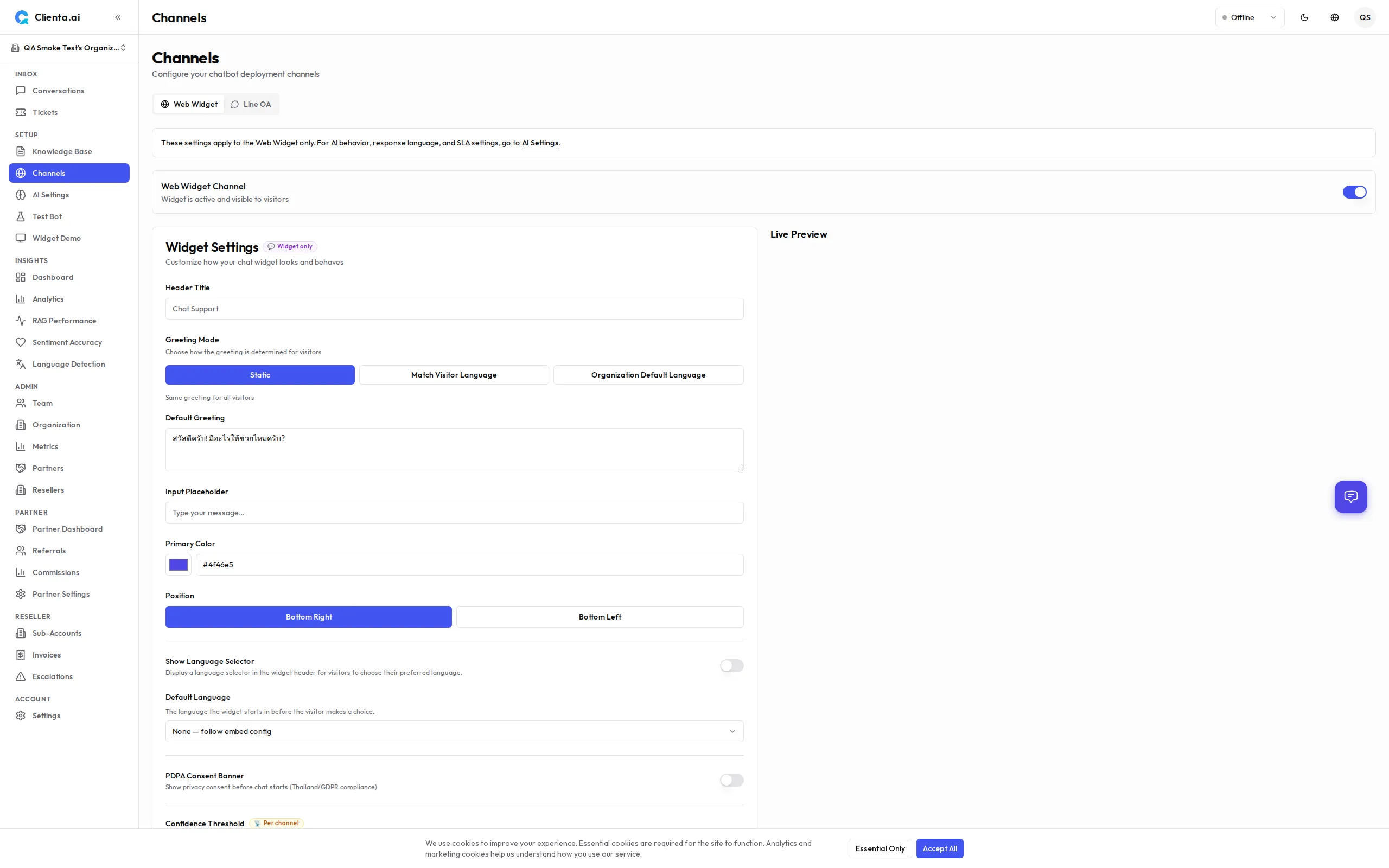
Go to Channels → Web Widget in the left menu.
-
Click Create Widget and give it a name.
-
Configure the widget settings (see Customization below).
-
Copy the embed code snippet provided.
-
Paste the snippet into your website’s HTML, just before the closing
</body>tag. -
Save and publish your site — the widget will appear immediately.
Embed Code
Section titled “Embed Code”<!-- Clienta.ai Web Widget --><script> window.ClientaConfig = { botId: "YOUR_BOT_ID", widgetId: "YOUR_WIDGET_ID", };</script><script src="https://api.clienta.ai/widget/YOUR_WIDGET_ID/loader.js" async></script>Replace YOUR_BOT_ID and YOUR_WIDGET_ID with the values shown in your dashboard.
Customization
Section titled “Customization”| Option | Description |
|---|---|
| Theme Color | Set the primary color to match your brand (hex code or color picker) |
| Welcome Message | The first message displayed when a user opens the widget |
| Position | Choose bottom-right or bottom-left placement on the screen |
| Avatar | Upload a custom avatar image for the bot |
Additional options include:
- Widget Title — Name shown in the widget header
- Placeholder Text — Hint text inside the message input box
- Auto-Open Delay — Automatically open the widget after N seconds (optional)
- Hide on Mobile — Toggle widget visibility on mobile devices
How It Works
Section titled “How It Works”-
User opens the widget — The chat window slides open from the corner of the page.
-
Message sent to bot — The user’s message is sent to Clienta.ai over a secure WebSocket connection.
-
AI processes and responds — The bot retrieves relevant content from the knowledge base and generates a reply.
-
Human handoff if needed — If confidence is low or the user requests a human, the conversation is routed to an available agent via the Conversations inbox.
Contact Form
Section titled “Contact Form”When the AI bot is offline or unable to respond, the widget shows a CTA balloon prompting the visitor to leave their contact details. Tapping the balloon opens a contact form:
| Field | Required | Notes |
|---|---|---|
| Yes | Always required for follow-up | |
| Phone | No | Includes a country code selector with 37 countries and emoji flags (e.g. 🇹🇭 +66, 🇺🇸 +1, 🇬🇧 +44, 🇯🇵 +81). Server-side validation ensures submitted codes are valid. |
| Name | Yes | Visitor’s name |
| Message | Yes | Description of the visitor’s issue |
The contact form submission creates a ticket visible in the admin Tickets page, displaying both email and phone when provided.
New Chat After Resolve
Section titled “New Chat After Resolve”When an agent resolves a conversation, the widget displays a system notice and a “Start New Chat” button. Clicking it:
- Clears the current conversation history
- Reconnects with a fresh WebSocket session
- Returns the widget to its initial state
This lets visitors start a new conversation without refreshing the page.
WebSocket Real-time
Section titled “WebSocket Real-time”The widget uses a persistent WebSocket connection for real-time, low-latency messaging. Key behaviors:
- Auto-reconnect — The client automatically reconnects if the connection drops.
- Typing indicator — Shows a typing animation while the bot is generating a response.
- Agent typing indicator — v1.6.8 When a human agent is typing a reply, the widget shows a typing animation to the visitor in real time.
- Message history — Conversation history is preserved within the same browser session.
- Cross-tab sync — If the user has multiple tabs open, the conversation state is synced.
Markdown Responses
Section titled “Markdown Responses”AI and agent messages are rendered as formatted markdown instead of plain text. Supported formatting includes:
- Bold, italic,
strikethrough - Links (open in new tab automatically)
- Inline
codeand fenced code blocks - Ordered and unordered lists
- Headings, blockquotes, and tables
All markdown content is sanitized with a strict allowlist to prevent XSS attacks. No configuration is needed — markdown rendering is enabled by default for all AI and agent responses. User messages remain plain text.
Brand Avatar
Section titled “Brand Avatar”Display your brand logo or a custom avatar in the widget header and on the home screen. Set the avatarUrl in Settings → Channels → Web → Customizer or pass it as config.theme.avatarUrl in the embed code.
- Only
https://URLs are accepted - If the URL is invalid or the image fails to load, the default sparkle icon is shown
- Recommended: a square image (e.g. 128 × 128 px) for best results
See Widget Customization — Avatar for details.
AI vs Human Labels
Section titled “AI vs Human Labels”Every non-user message displays a small author label identifying the sender:
| Author type | Label shown |
|---|---|
| AI bot | ”AI Assistant” (localized) |
| Human agent | Agent’s name (e.g. “Sarah”) |
Labels are localized in all 15 supported languages and accessible to screen readers. This helps visitors clearly distinguish between AI-generated and human responses, supporting transparency best practices.
Greeting Language
Section titled “Greeting Language”The widget greeting message supports three language modes, configured in Settings → Channels → Web → Customizer → Greeting Mode:
| Mode | Behavior |
|---|---|
| Static | Displays the same greeting to every visitor regardless of language |
| Match Visitor | Shows a per-language greeting — configure a different greeting text for each of the 15 locales |
| Org-Main | Always shows the greeting in the organization’s main response language (set in AI Settings) |
In Match Visitor mode, any locale without a configured greeting falls back to the static greeting text.
See Widget Customization — Greeting Mode for step-by-step configuration.
Language Selector
Section titled “Language Selector”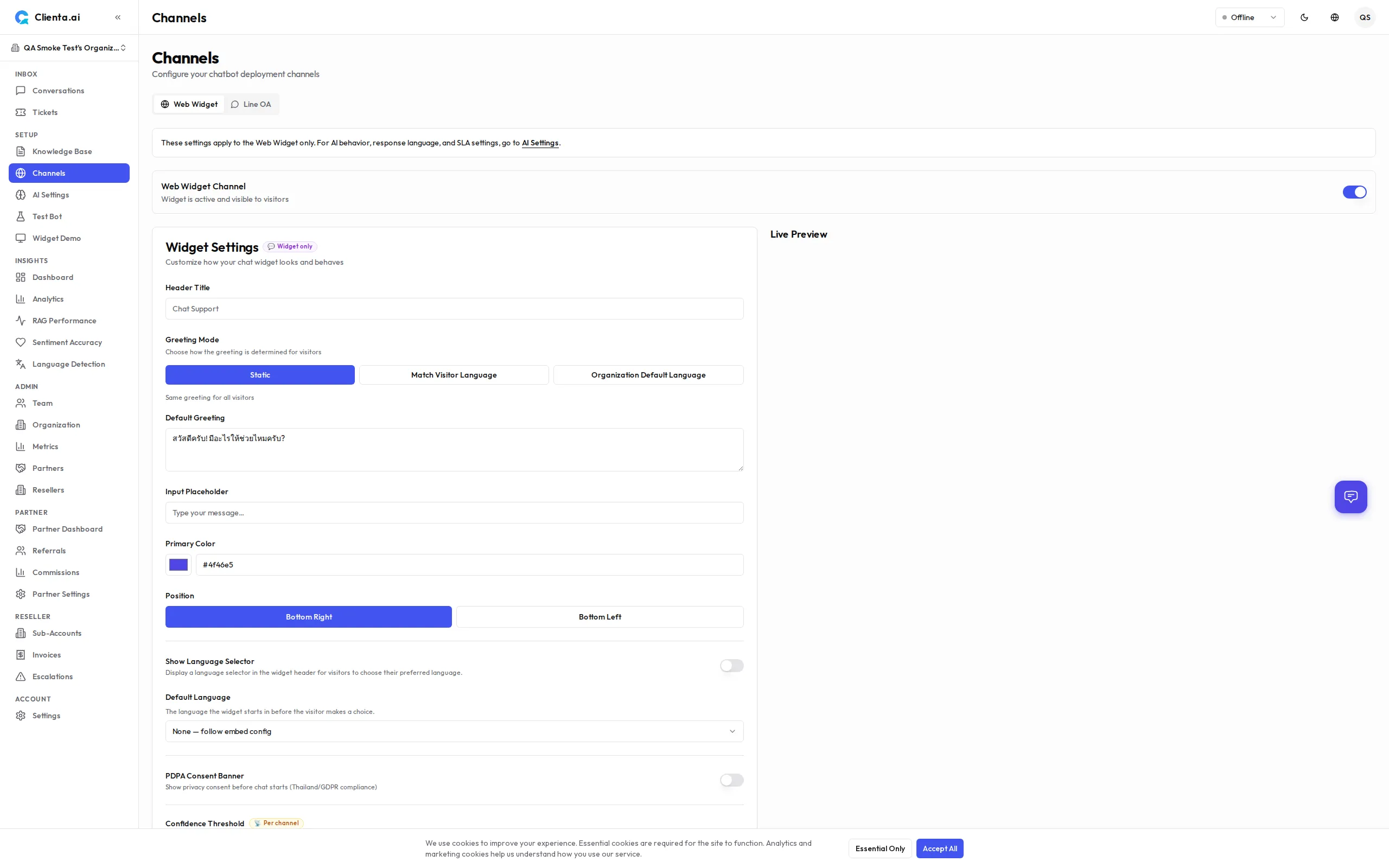
The widget can display a globe icon in the header that lets visitors explicitly choose their preferred language. This feature is disabled by default and must be enabled per widget in Settings → Channels → Web → Customizer.
When enabled:
- A globe (🌐) icon appears in the widget header
- Visitors can choose from up to 15 supported locales
- Selecting a language locks all AI responses to that language for the session, overriding auto-detection
- The lock persists even if the visitor types in a different language
Quick Start Chips
Section titled “Quick Start Chips”The widget home screen shows up to three Quick Start chips — one-tap shortcuts that start a conversation with a pre-filled message. By default these chips are localized: every visitor sees them in their own language.
As an admin you can replace the defaults with your own set in Settings → Channels → Web → Customizer → Quick Start Chips:
- Configure between 1 and 5 custom chips
- Each chip has a label (required, up to 100 characters) and an optional icon (an emoji or short text, up to 10 characters)
- Reset to defaults removes your custom chips so the widget shows the localized defaults again
When no custom chips are configured, the widget shows the localized default chips. Custom chips take effect for new visitors on the next settings load.
RTL (Right-to-Left) Support
Section titled “RTL (Right-to-Left) Support”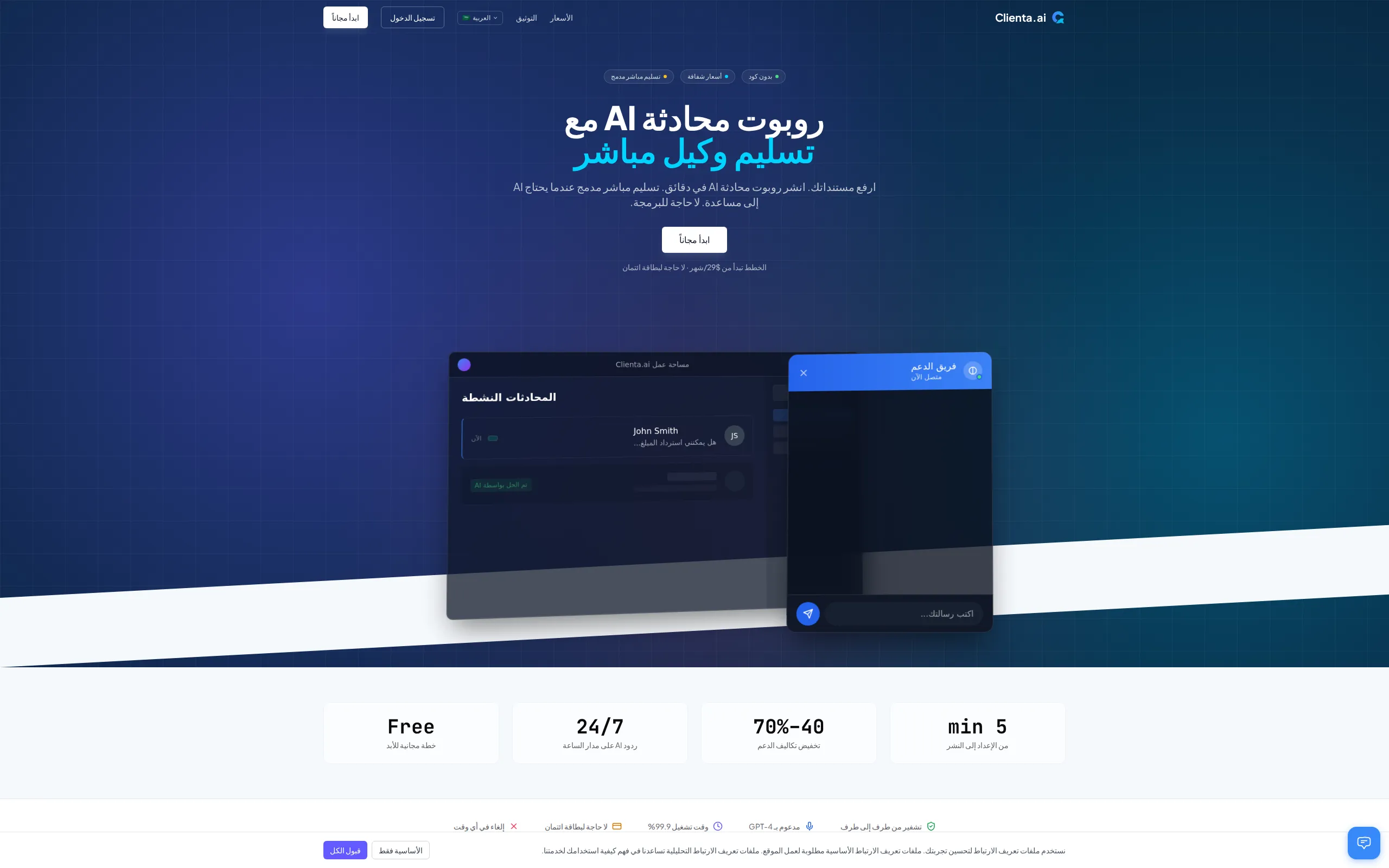
The widget and landing page fully support RTL layouts for Arabic and Hebrew. When a visitor uses an RTL locale:
- The entire layout mirrors (text alignment, navigation, UI elements)
- The
<html dir="rtl">attribute is set automatically - Chat messages and the input box align correctly for RTL reading flow
No manual configuration is needed — RTL activates automatically based on the selected locale.
Mount Timeout Fallback
Section titled “Mount Timeout Fallback”If the widget script (widget.js) fails to load within 10 seconds, the embed displays a fallback UI instead of leaving a blank space. The fallback includes a retry button so the visitor can attempt to reload the widget without refreshing the page.
This protects the user experience when network issues, ad blockers, or CDN outages prevent the widget from mounting.
Widget Visual Redesign
Section titled “Widget Visual Redesign”The widget received a visual refresh in v1.6.8 with a modern, polished look:
- Gradient header — The widget header uses a subtle gradient based on your theme color, with a status dot and avatar display.
- Rounded message bubbles — Chat bubbles use a larger border radius (
rounded-2xl) for a softer appearance. - Animated open/close — The widget slides in and out with smooth CSS animations instead of appearing instantly.
- Redesigned launcher — The chat bubble launcher is a 60px squircle with a brand-colored glow shadow and an entrance animation.
- Dark mode toggle — A toggle button in the chat header lets visitors switch between light and dark mode during their session.
- Themed focus rings — Input fields show brand-colored focus rings for accessibility.
- Notification badge — An unread message badge appears on the launcher bubble.
These visual changes apply automatically — no configuration changes are needed.
Citation Chips
Section titled “Citation Chips”When the AI bot responds with information sourced from your knowledge base, citation chips appear below the message. Each chip represents a retrieved document that contributed to the answer.
| Behavior | Description |
|---|---|
| Chip display | Shows up to 3 document title chips. If more sources were used, a “+N more” chip indicates additional citations. |
| Click to expand | Clicking a chip toggles an inline snippet showing the first 200 characters of the retrieved content. Only one snippet can be open at a time. |
| Title truncation | Long document titles are truncated to 40 characters with an ellipsis. |
| Theming | Chips use your widget’s primary color as a subtle tint, with full dark mode and RTL support. |
| Accessibility | Chips are keyboard-navigable with proper ARIA labels (aria-expanded), list roles, and screen-reader support. |
Citation chips give visitors transparency into where the bot’s answer came from, building trust in the AI responses. No configuration is required — citations appear automatically when the RAG pipeline retrieves relevant documents.
Auto-Scroll
Section titled “Auto-Scroll”The widget automatically scrolls to the latest message whenever new content arrives. This applies to:
- New messages from the AI bot or a human agent
- Streaming content as the bot generates a response in real time
The scroll uses a smooth animation so the transition feels natural. No configuration is needed — auto-scroll is always active.
Channel Limits by Plan
Section titled “Channel Limits by Plan”| Plan | Max Channels |
|---|---|
| Free | 1 |
| Starter | 2 |
| Growth | 5 |
| Plus | 6 |
| Pro | 15 |
| Scale | 30 |
| Enterprise | 50 |