

Knowledge Base & RAG
Knowledge Base & RAG
Section titled “Knowledge Base & RAG”The Knowledge Base is the foundation of your AI bot. Upload your organization’s real documents — the bot learns from this data and answers questions using a smart RAG (Retrieval-Augmented Generation) pipeline.
Uploading Documents
Section titled “Uploading Documents”-
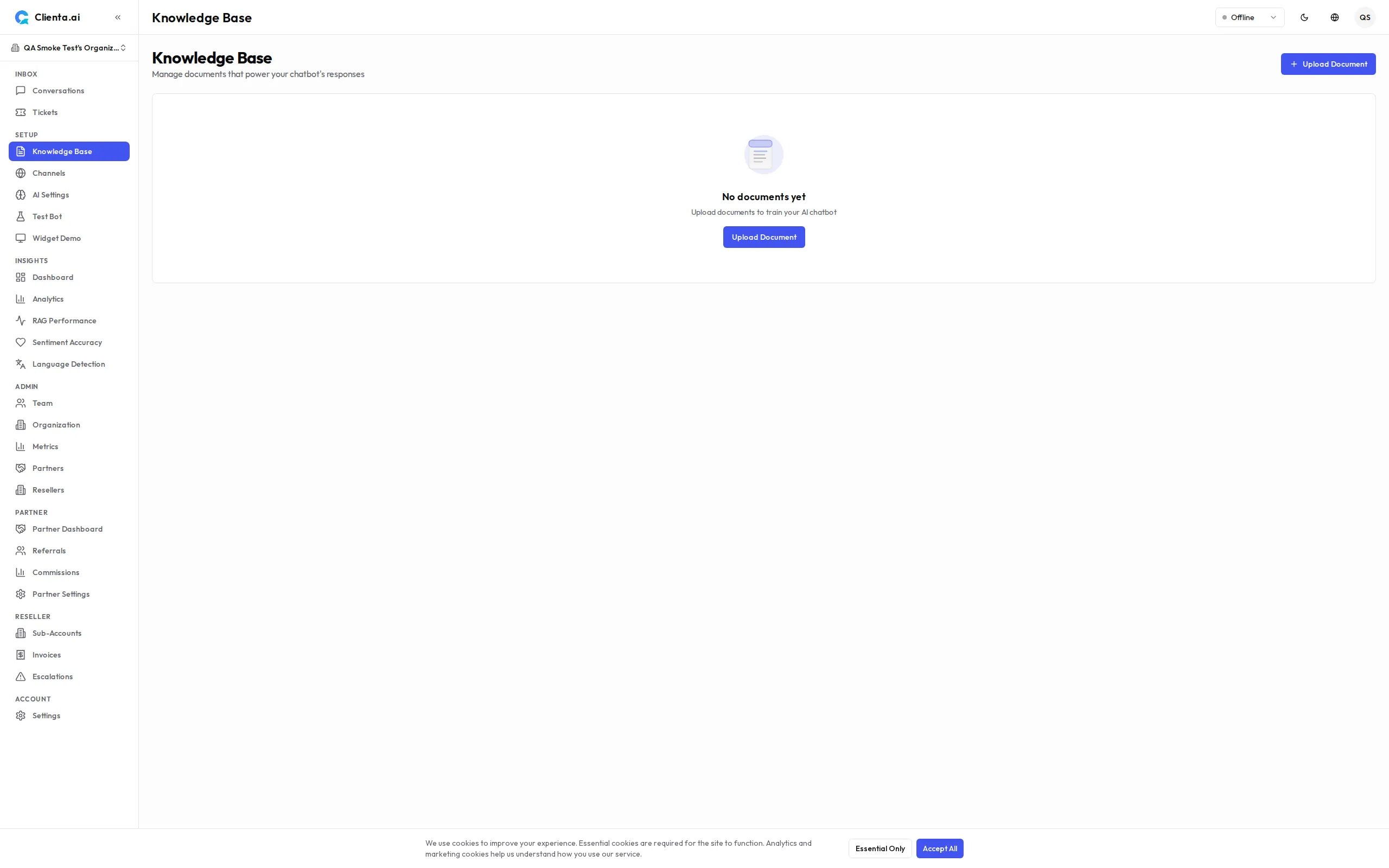
Go to Knowledge Base in the left menu.
-
Click Upload Document and select a file (PDF, DOCX, or TXT).
-
Wait for the system to process and index the document. Status will show Ready when complete.
-
Test the bot in the Test Bot panel on the right to verify the bot can answer questions from the uploaded document.
Multi-File Upload
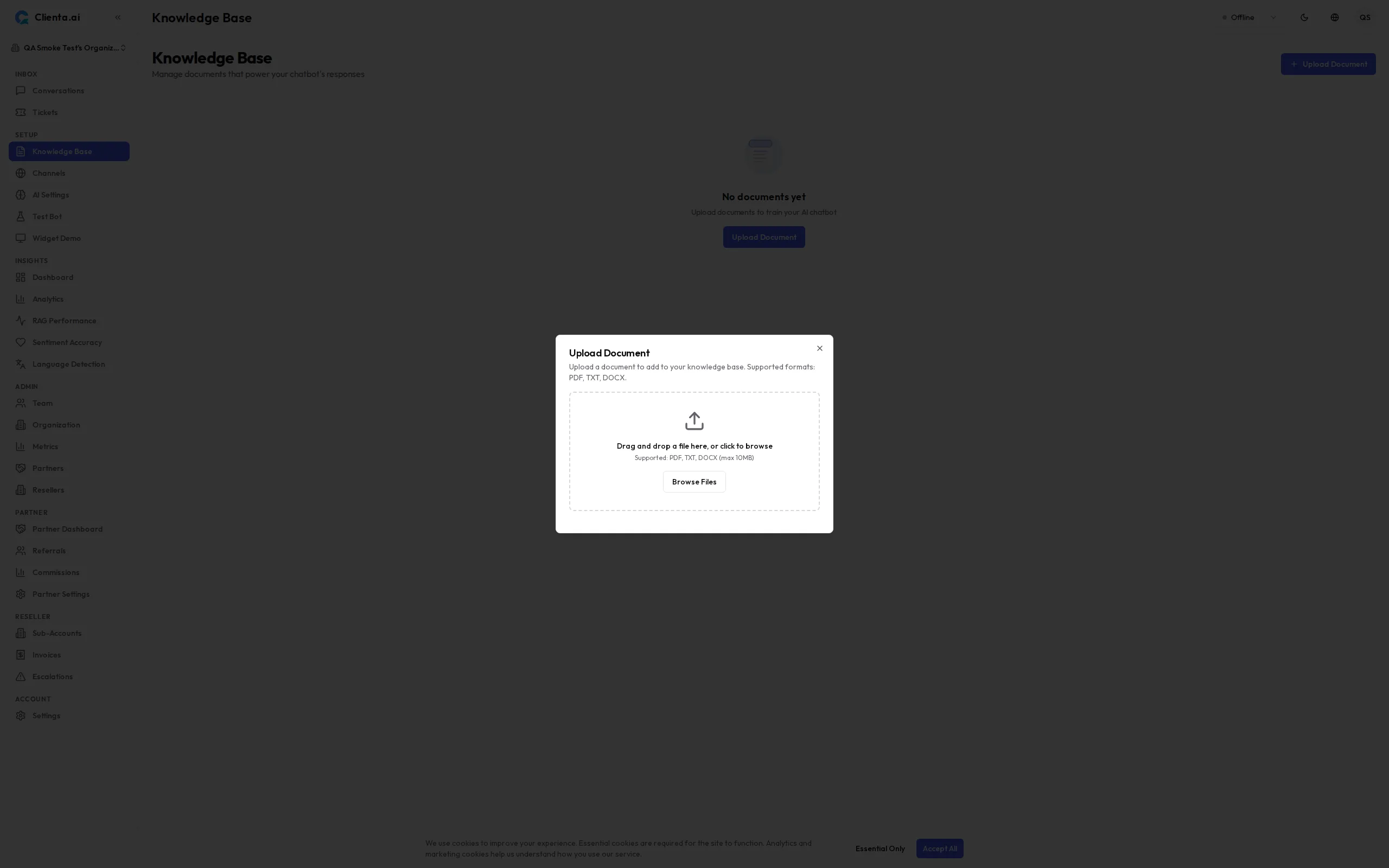
Section titled “Multi-File Upload”You can now upload multiple documents at once. Instead of adding files one at a time, select several PDF, DOCX, or TXT files in a single bulk upload. Each file is processed and indexed independently, and you receive a per-file result so you can see at a glance which documents succeeded and which need attention.
Downloading Documents
Section titled “Downloading Documents”You can download any document you have uploaded back to your machine — useful for auditing, sharing the source file, or moving content between workspaces. Downloads are authenticated and scoped to your organization, so only members of your team can retrieve your files. The download path is validated against the document record, which prevents path-traversal and guarantees you always receive exactly the file associated with a given document.
Create from Text
Section titled “Create from Text”In addition to file uploads, you can create knowledge base entries directly from text:
- Click Create from Text
- Enter a Title for easy reference
- Paste or type the content in the text editor
- Click Save — the system will index immediately
This is useful for FAQs, policies, or any content you want to write directly without a file.
RAG Pipeline
Section titled “RAG Pipeline”When a user asks a question, the system processes it through a 4-step RAG pipeline:
-
Hybrid Search — Searches across all documents using both keyword and semantic vector search simultaneously, ensuring no relevant content is missed.
-
Query Rewriting — Rewrites the user’s question to be more precise and search-friendly, improving retrieval accuracy even when questions are vague.
-
Re-ranking — Scores and re-ranks retrieved document chunks by relevance, so the most relevant content is passed to the AI model first.
-
Generate Answer — The AI model generates a natural-language answer grounded in the retrieved content, with source references.
RAG Features
Section titled “RAG Features”| Feature | Description |
|---|---|
| Hybrid Search | Combines keyword + semantic vector search for higher recall |
| Query Rewriting | Auto-rephrases user questions to improve retrieval accuracy |
| Re-ranking | Cross-encoder re-ranking to surface the most relevant chunks |
| Smart Model Routing | Routes queries to the appropriate model based on complexity and cost |
Guardrail Modes
Section titled “Guardrail Modes”Control how strictly the bot stays within the knowledge base:
| Mode | Behavior |
|---|---|
| Strict | Bot answers only from uploaded documents. Refuses to answer if no relevant content found. |
| Hybrid | Bot primarily uses the knowledge base but may supplement with general knowledge when needed. |
| Open | Bot uses the knowledge base as context but can answer freely from its training data. |
Test Bot
Section titled “Test Bot”Use the Test Bot panel to verify your knowledge base before going live:
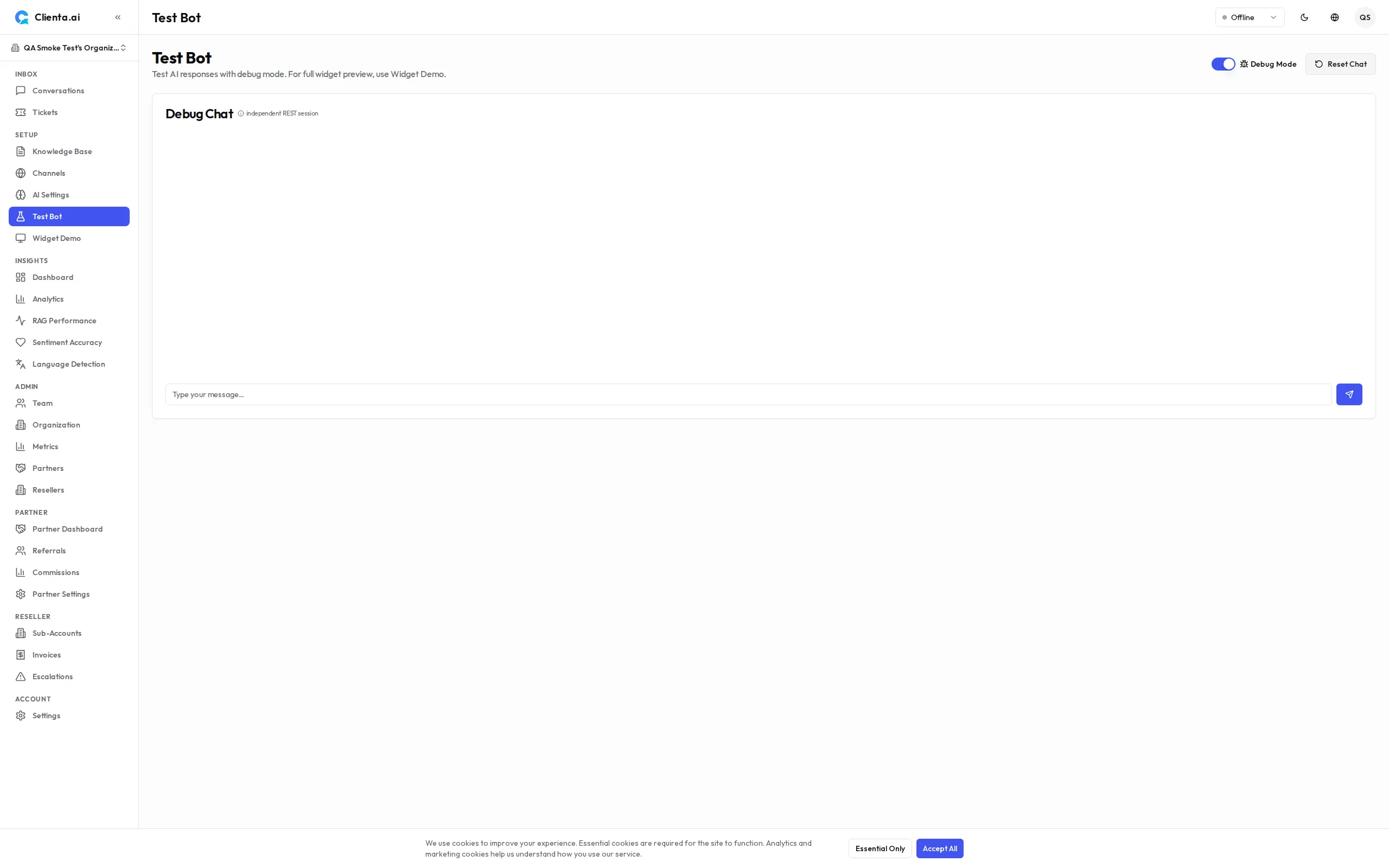
- Type questions as a user would
- Check that answers are grounded in your documents
- Use the Source view to see which document chunks the bot retrieved
- Adjust guardrail mode and re-test if needed
Changes to the knowledge base take effect immediately in the Test Bot — no redeployment required.
KB Auto-Suggest Drafts
Section titled “KB Auto-Suggest Drafts”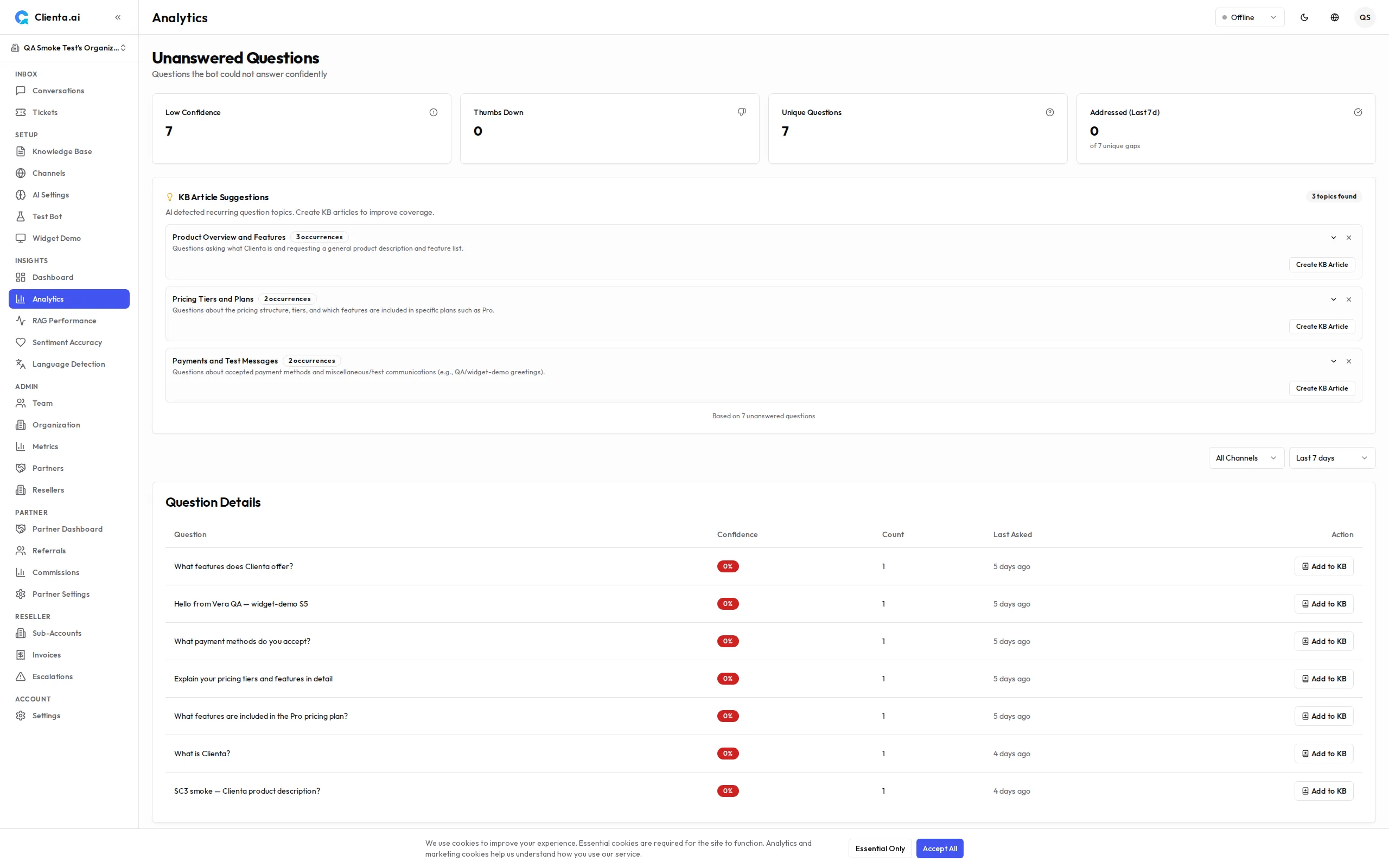
The auto-suggest feature analyzes unanswered questions from the Analytics dashboard and automatically generates draft knowledge base articles to fill content gaps:
- The system identifies topics from unanswered questions that have no matching document
- It generates a draft document with suggested content based on the question patterns
- Drafts appear in the Analytics → Unanswered section with a “Suggested Draft” badge
- Review, edit, and publish the draft to immediately improve bot coverage
Cross-Lingual Search
Section titled “Cross-Lingual Search”The RAG pipeline supports cross-lingual retrieval — visitors can ask questions in one language and receive answers sourced from documents written in a different language.
This works through two mechanisms:
- Query translation — The query rewrite service automatically translates non-English queries into English before searching, so English-language documents are discoverable regardless of the visitor’s language.
- Wider search net — When the reranker is enabled, the system uses a lower initial similarity threshold to ensure cross-lingual and colloquial queries with lower cosine similarity but high semantic relevance are not filtered out before the reranker can evaluate them.
No configuration is needed — cross-lingual search is enabled by default when the RAG pipeline’s query rewriting and reranking features are active. If query translation is unavailable, the system falls back to searching with the original query. The improvement is especially noticeable for organizations with English-language knowledge bases serving multilingual visitors.
Import from URL
Section titled “Import from URL”Import content directly from any public URL. The system fetches the page, extracts readable text using smart content extraction, and indexes it as a knowledge base document.
-
Go to Knowledge Base and click Import from URL.
-
Paste the URL of the page you want to import.
-
The system fetches, extracts, and indexes the content automatically.
-
The document appears in your KB list with the source URL shown.
Auto-Refresh
Section titled “Auto-Refresh”Enable auto-refresh on URL-imported documents to keep content up to date. The system periodically re-fetches the URL and updates the document if content has changed.
- Refresh interval is configurable per source
- Only changed content is re-processed (hash-based change detection)
- Failed fetches are logged without removing the existing document
Google Sheets Integration
Section titled “Google Sheets Integration”Connect your Google Sheets to automatically sync spreadsheet data into the knowledge base. Each row becomes a searchable document — ideal for product catalogs, FAQ lists, room directories, or any structured data.
-
Go to Settings → Integrations and click Connect Google Sheets.
-
Sign in with your Google account (read-only access to spreadsheets).
-
Paste the URL of the Google Sheet you want to sync.
-
Select which sheet tab and map columns: choose a Title column, Content columns, and an ID column for stable row identity.
-
Click Start Sync — the system imports all rows and indexes them as KB documents.
Sync Behavior
Section titled “Sync Behavior”| Feature | Description |
|---|---|
| Auto-sync | Periodically checks for changes using hash-based detection |
| Row-level diff | Only re-processes changed or new rows |
| Row deletion | Missing rows are archived (not deleted), excluded from RAG |
| Rate limiting | 250 requests/minute project-wide, 3 concurrent jobs per org |
Plan Limits
Section titled “Plan Limits”| Plan | Google Sheets Sources | Row Limit per Sheet |
|---|---|---|
| Free | 0 | — |
| Starter | 3 | 500 |
| Growth | 10 | 2,000 |
| Plus | 25 | 5,000 |
| Pro | 50 | 10,000 |
| Scale | 100 | 50,000 |
RSS/Atom Feed Import
Section titled “RSS/Atom Feed Import”Import blog articles, news feeds, or any RSS/Atom content source. The system parses the feed, fetches each article, and indexes the content as KB documents.
-
Go to Knowledge Base and click Import from RSS.
-
Enter the feed URL (RSS 2.0 or Atom 1.0).
-
Configure import options: max articles, content mode (full text or summary), auto-import toggle.
-
Click Import — the system fetches and indexes each article.
Feed Features
Section titled “Feed Features”| Feature | Description |
|---|---|
| Auto-import | Automatically imports new entries when they appear in the feed |
| HTTP caching | Uses ETag/Last-Modified to avoid re-downloading unchanged feeds |
| Content modes | Full text (fetches article URL) or Summary (uses feed description) |
| SSRF protection | Feed URLs pass through the same security guard as URL imports |
Plan Limits
Section titled “Plan Limits”| Plan | RSS Feed Sources |
|---|---|
| Free | 0 |
| Starter | 3 |
| Growth | 10 |
| Plus | 20 |
| Pro | 30 |
| Scale | 50 |
Content Change Notifications
Section titled “Content Change Notifications”Get notified when your imported content changes significantly. When a URL or Google Sheet source is refreshed and the content differs by more than 20%, the system sends an email notification to organization admins.
- Threshold: Configurable per organization (default: 20% content change)
- Rate limit: Maximum 1 notification per URL per 24 hours
- Recipients: All users with admin role in the organization
- Content: Email includes the source URL, change percentage, and a link to the KB dashboard