

Knowledge Base & RAG
Knowledge Base & RAG
Section titled “Knowledge Base & RAG”The Knowledge Base is the foundation of your AI bot. Upload your organization’s real documents — the bot learns from this data and answers questions using a smart RAG (Retrieval-Augmented Generation) pipeline.
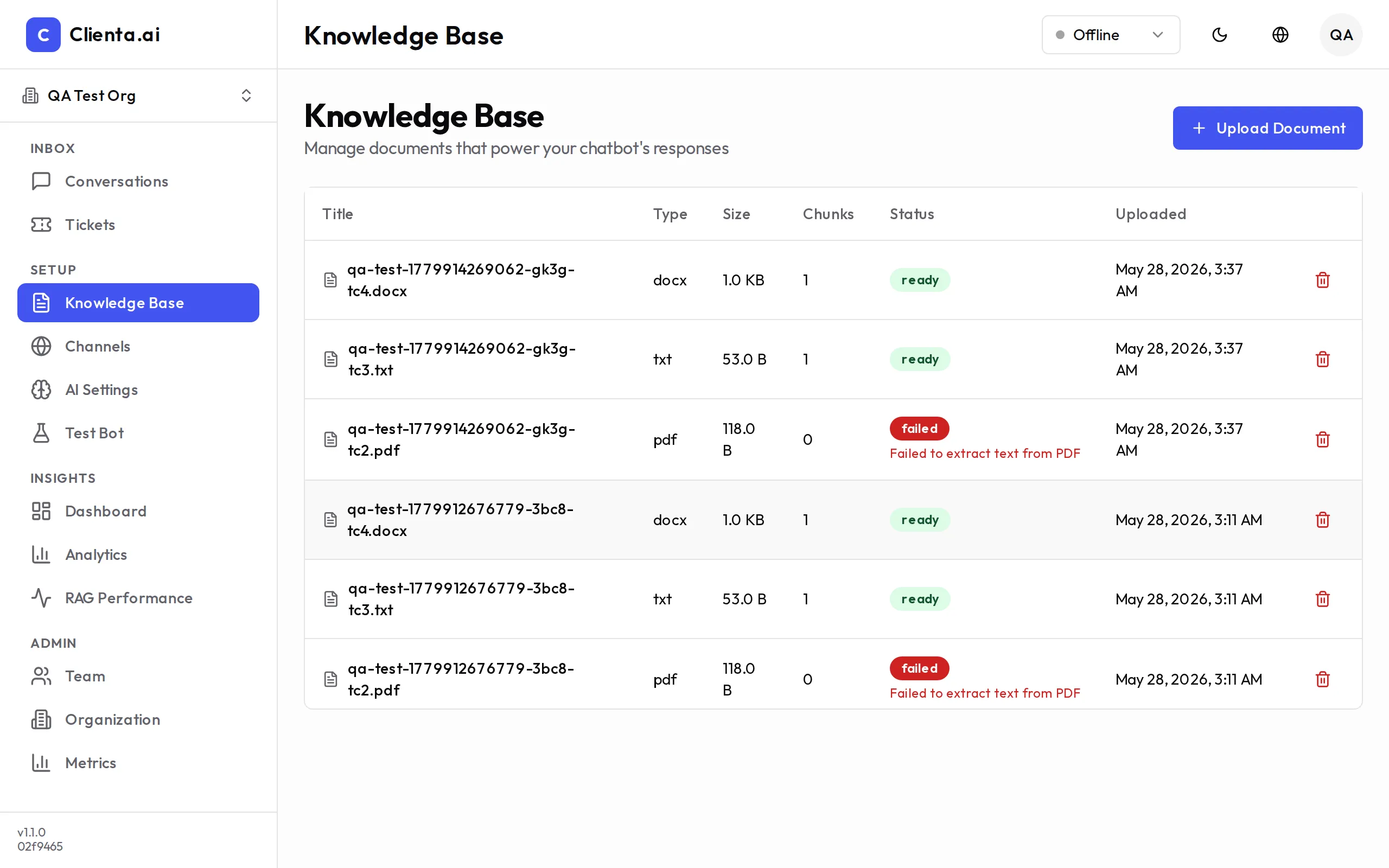
Uploading Documents
Section titled “Uploading Documents”-
Go to Knowledge Base in the left menu.
-
Click Upload Document and select a file (PDF, DOCX, TXT, or Markdown).
-
Wait for the system to process and index the document. Status will show Ready when complete.
-
Test the bot in the Test Bot panel on the right to verify the bot can answer questions from the uploaded document.
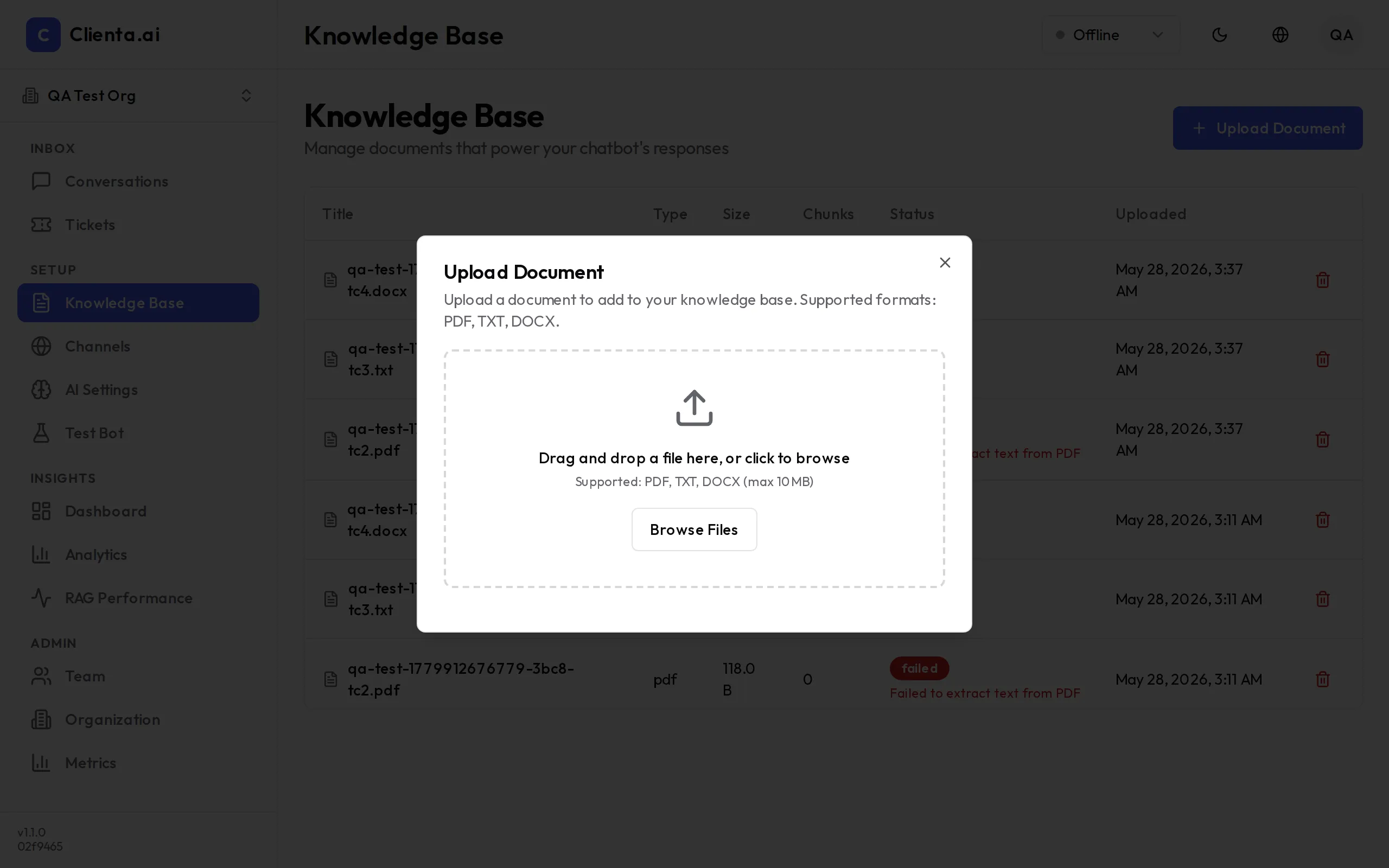
Create from Text
Section titled “Create from Text”In addition to file uploads, you can create knowledge base entries directly from text:
- Click Create from Text
- Enter a Title for easy reference
- Paste or type the content in the text editor
- Click Save — the system will index immediately
This is useful for FAQs, policies, or any content you want to write directly without a file.
RAG Pipeline
Section titled “RAG Pipeline”When a user asks a question, the system processes it through a 4-step RAG pipeline:
-
Hybrid Search — Searches across all documents using both keyword and semantic vector search simultaneously, ensuring no relevant content is missed.
-
Query Rewriting — Rewrites the user’s question to be more precise and search-friendly, improving retrieval accuracy even when questions are vague.
-
Re-ranking — Scores and re-ranks retrieved document chunks by relevance, so the most relevant content is passed to the AI model first.
-
Generate Answer — The AI model generates a natural-language answer grounded in the retrieved content, with source references.
RAG Features
Section titled “RAG Features”| Feature | Description |
|---|---|
| Hybrid Search | Combines keyword + semantic vector search for higher recall |
| Query Rewriting | Auto-rephrases user questions to improve retrieval accuracy |
| Re-ranking | Cross-encoder re-ranking to surface the most relevant chunks |
| Smart Model Routing | Routes queries to the appropriate model based on complexity and cost |
Guardrail Modes
Section titled “Guardrail Modes”Control how strictly the bot stays within the knowledge base:
| Mode | Behavior |
|---|---|
| Strict | Bot answers only from uploaded documents. Refuses to answer if no relevant content found. |
| Hybrid | Bot primarily uses the knowledge base but may supplement with general knowledge when needed. |
| Open | Bot uses the knowledge base as context but can answer freely from its training data. |
Test Bot
Section titled “Test Bot”Use the Test Bot panel to verify your knowledge base before going live:
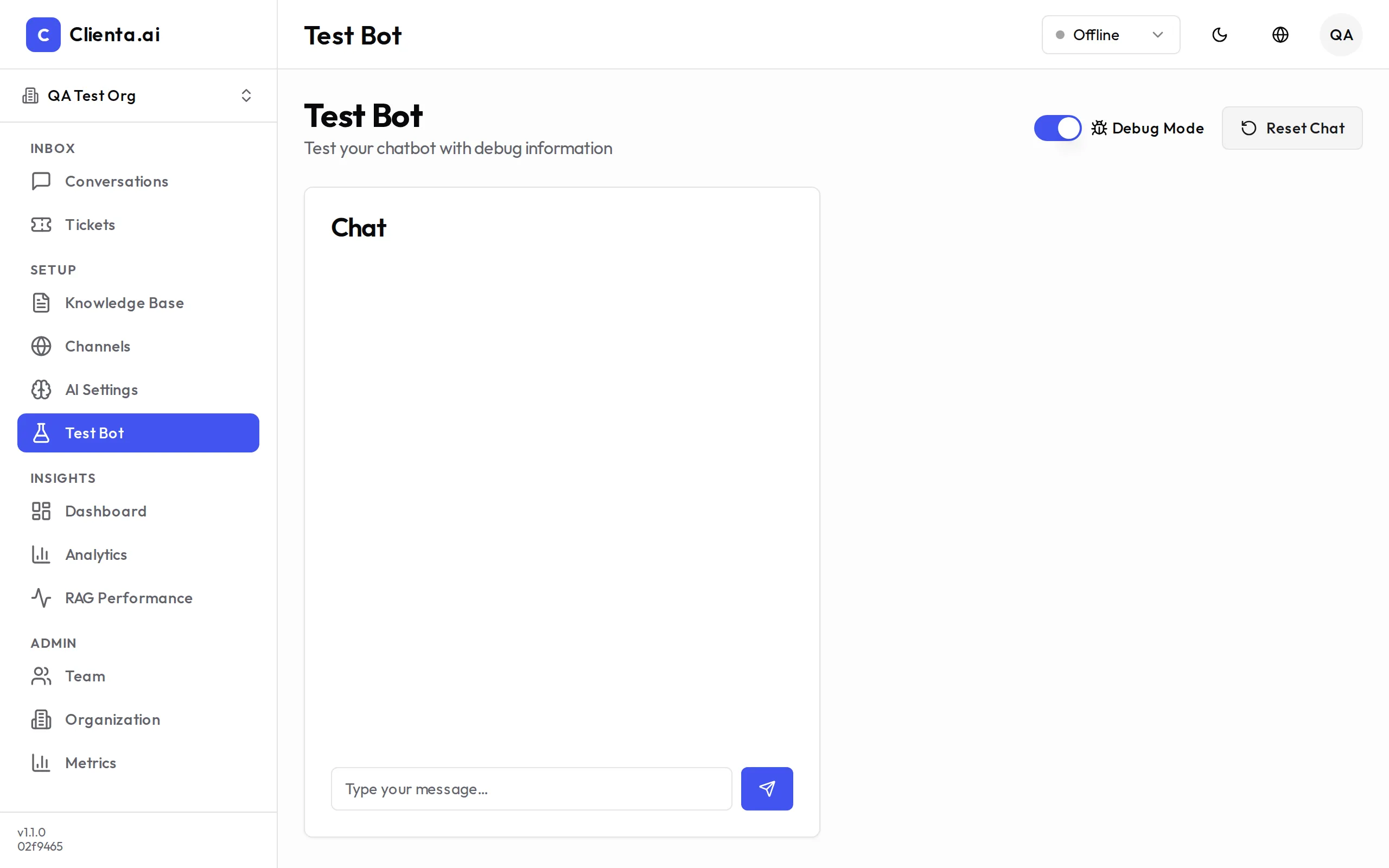
- Type questions as a user would
- Check that answers are grounded in your documents
- Use the Source view to see which document chunks the bot retrieved
- Adjust guardrail mode and re-test if needed
Changes to the knowledge base take effect immediately in the Test Bot — no redeployment required.